
One focused session,run end-to-end
A workshop in Edushade is a standalone session — live, pre-recorded or in-person — with its own registration, capacity, speakers and recording. No course wrapper required, just one room you fill, run and follow up on.
Workshops, treated as their own thing
Edushade ships workshops as a first-class entity, separate from courses and cohorts. Each one carries its own schedule, registration, capacity, access rules, speakers and follow-up — so a one-off masterclass, a recurring office hour and an in-person bootcamp can all live on the same platform without bending the course builder around them.
Three Session Formats
Run live, share a pre-recorded session, or host in person. Each format gets the fields it actually needs — meeting URL, recording URL or venue.
Built-in Meeting Providers
Wire up Google Meet, Zoom, Microsoft Teams or Jitsi. Learners join from their dashboard and the join time is captured for attendance.
Capacity & Registration Deadlines
Set a max-participants cap and a separate registration deadline. Edushade enforces both at sign-up and tracks remaining seats live.
Recurring Schedules
Run a workshop daily, weekly, monthly or yearly with an interval and an end date. Each occurrence becomes its own instance with its own recording and attendance.
Speakers & Co-Hosts
Add multiple speakers to one workshop, mark a primary host, and surface them on the registration page so attendees know who they are showing up for.
Public, Private or Password-Protected
Open a workshop to anyone, keep it invite-only, or gate it behind a password — toggled per workshop, not platform-wide.
Live, recorded or in-person — pick the format that fits
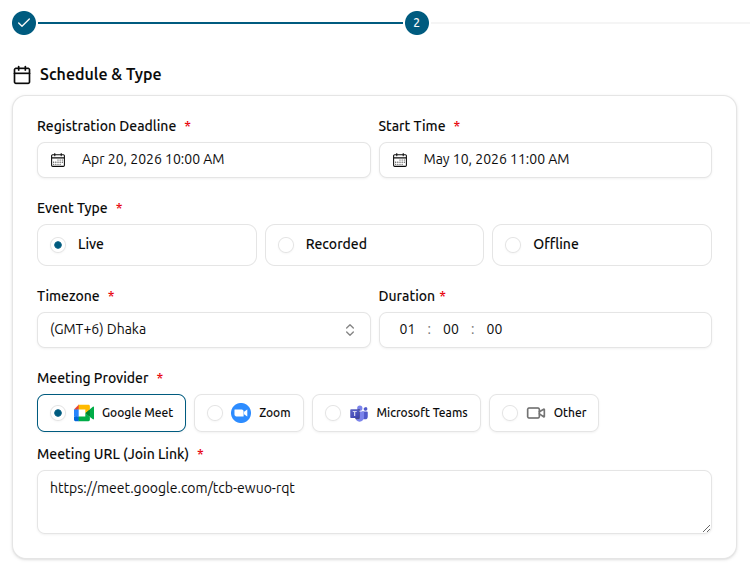
Edushade workshops support three event types out of the box. Live sessions ask for a meeting provider and a join URL. Recorded sessions take a video URL and play on the date you set. Offline workshops capture a venue. The registration flow stays the same regardless of which format you pick — only the join experience changes.
Live, recorded and offline event types inside one builder
Provider presets for Google Meet, Zoom, Microsoft Teams and Jitsi
Recording URL field for replays and pre-recorded sessions
Venue field for in-person workshops with a clear address slot
Registration that protects the room
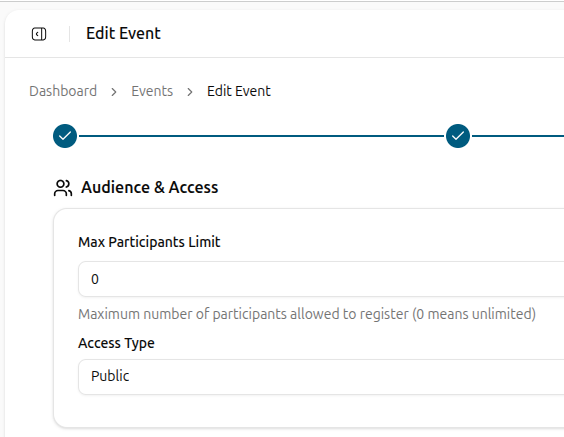
Every workshop carries its own registration deadline, capacity cap and access mode — independent from everything else on the platform. Limit a masterclass to 30 seats, lock a corporate session to invited attendees, or open a public webinar to the world. Registration count and participant count are tracked separately so you can see who signed up versus who actually showed up.
Max-participants cap from 0 (unlimited) up to 50,000
Start time and registration deadline as two separate fields
Public, private (invite-only) or password-protected access
UTM source, medium, campaign, term and content stored per participant
Materials before, recording after
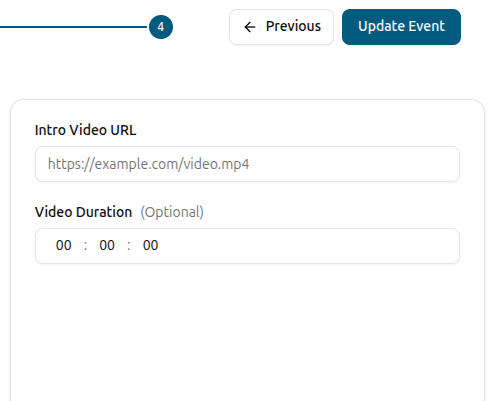
Hand attendees what they need before the session and where to find the replay after. An intro video plays on the registration page, a rich-text description sets context, and joining instructions deliver the link, password or venue when the time comes. Drop in the recording URL after the session and the same workshop page turns into the catch-up page.
Thumbnail, summary and full rich-text description per workshop
Intro video URL with optional duration shown alongside
Rich-text joining instructions surfaced to registered attendees
Recording URL published after the session for on-demand replays
Run the same workshop on a schedule
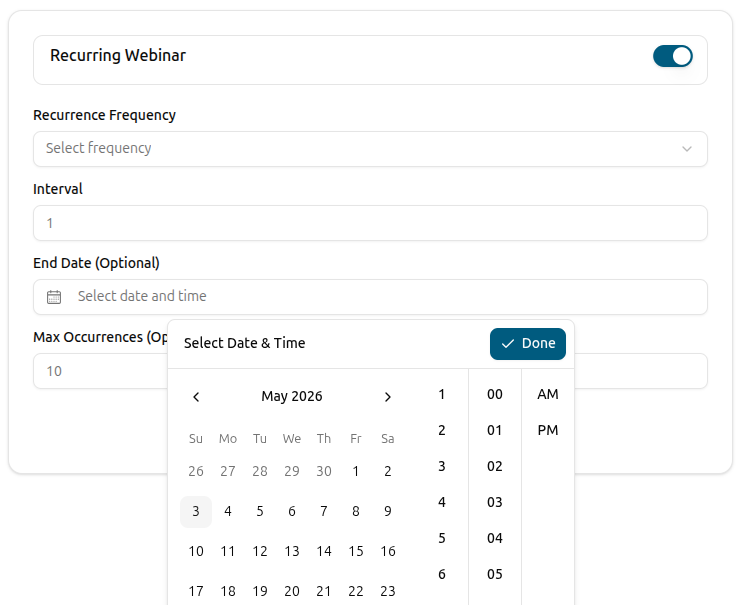
Recurring workshops are a real thing in Edushade, not a manual copy job. Pick daily, weekly, monthly or yearly with an interval, an end date or a max-occurrence count, and the platform spawns an instance for each run. Each instance carries its own status, recording and attendance — and a single date can be overridden for a one-off exception without touching the parent series.
Frequency: daily, weekly, monthly or yearly with a custom interval
End on a fixed date or after a maximum number of occurrences
Per-instance status: scheduled, live, completed or cancelled
Per-instance recording URL, title and joining-instruction overrides
From draft to first registration in three steps
The workshop builder walks through four ordered steps — basics, schedule, audience and media — and publishes the registration page the moment you flip the status to published.
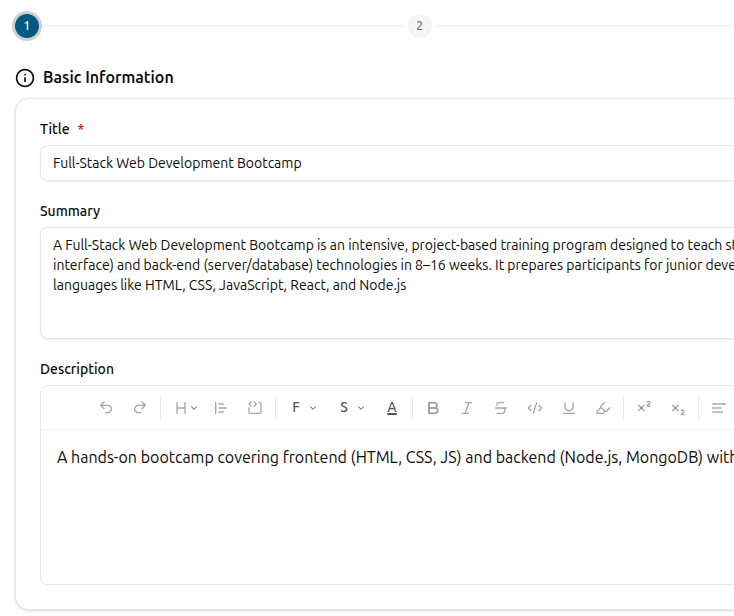
Add the basics
Title, summary, full description, thumbnail, categories and the speakers who will lead the session — each on its own card in the first step of the builder.
Set the schedule and pick the format
Pick a start time, registration deadline, timezone and duration. Choose live with a meeting provider, recorded with a video URL, or offline with a venue. Optionally turn it into a recurring series.
Cap the audience and publish
Set a max-participants limit, choose between public, private or password-protected access, drop in joining instructions and an intro video — then flip the status to published. The workshop page goes live and registrations open.
Workshops FAQ
How workshops work inside Edushade — sessions, registrations, attendance, recurring schedules and how they differ from courses and cohorts.
Can't find what you're looking for?
Contact Sales

Start Building Learning Your Way
Set up courses, programs, and learning experiences without forcing your process into rigid software. A connected system for students, educators, and administrators.
Build Your Academy